How We’ve Been Running Our Development Projects in Cerebro for a Decade
Development, Marketing, and Sales in One System
In this series, we usually share stories about how our clients use Cerebro — from VFX and animation studios to production companies and design teams. This time, we decided to switch things around and write a case study about ourselves.
We develop a project management platform for a highly specialized niche: companies that create visual content. Cerebro includes purpose-built tools that help streamline the entire production process from start to finish.
But can Cerebro be used as an all-purpose system? Absolutely. We are living proof: we do not produce visual content, yet we have been managing nearly all our processes in Cerebro for almost ten years. Development, testing, design, marketing, sales, implementation, and training — whatever we are working on, there is a task for it in Cerebro.
One System, Different Workflows
Broadly speaking, our work in Cerebro falls into two main streams: development and design, and marketing and sales. Each team configures the system around its own needs, while both remain part of the same workspace.
We follow the same basic principles. Our work is organized around a Scrum-like approach that we adapt to our actual workflows.
The workspace has a shared task hierarchy, with discussions and a complete work history stored inside each task. Every team uses its own statuses and activity types, configures access rights, and organizes users into groups.
How Our Development Workflow Is Organized
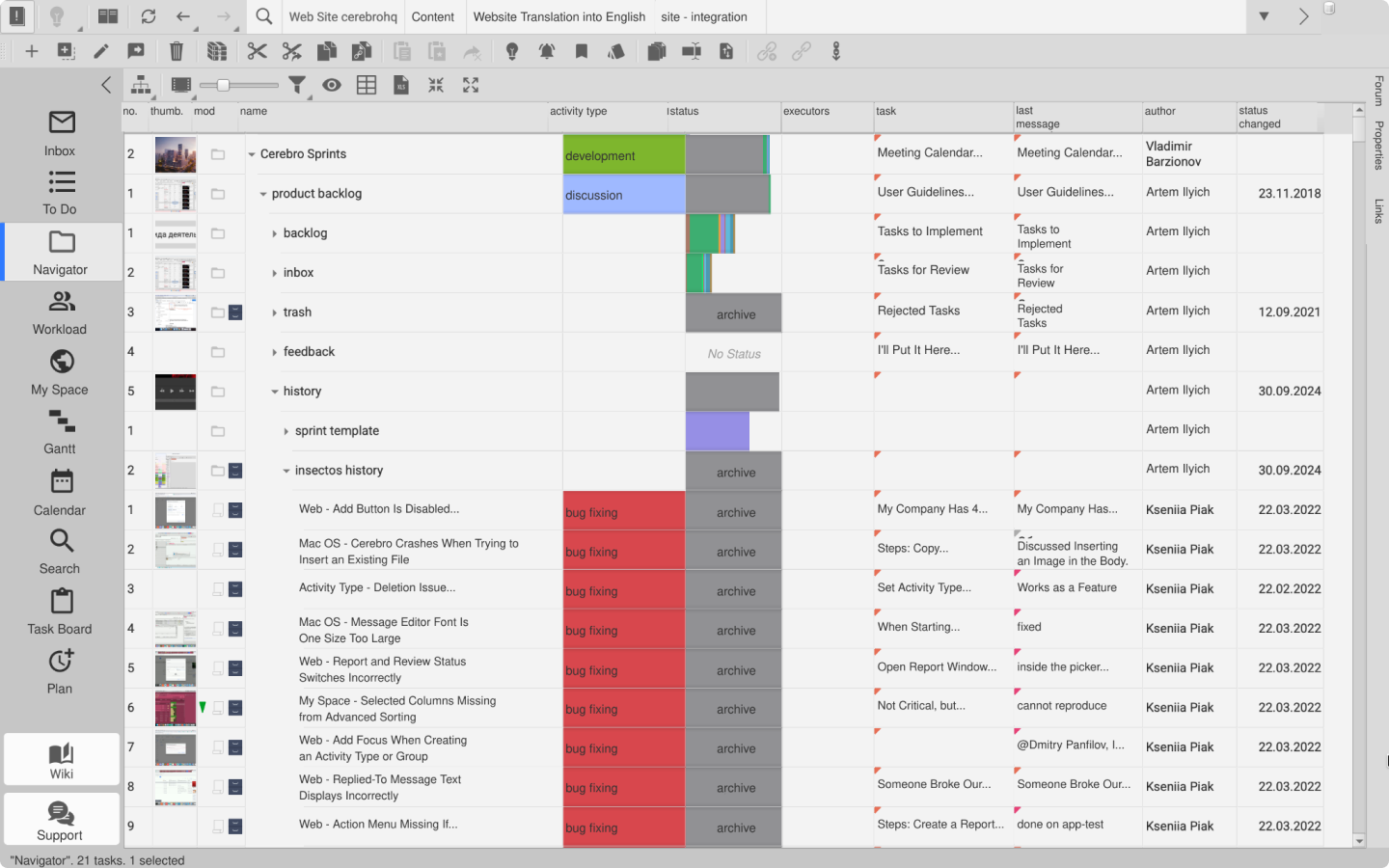
The development process is divided into milestones. One branch is dedicated entirely to sprint work, while every major project has its own branch containing tasks linked to those sprints.
We keep our working and testing areas strictly separate. We even have a dedicated test Universe — what Cerebro calls a company workspace — where things can occasionally descend into complete chaos. Our production Universe, by contrast, is carefully structured: every team or standalone product has its own project.
What Goes into a Sprint
Our sprints run in two-week cycles. Each one contains a pool of tasks to be completed during the sprint and includes both planning and a retrospective. The structure is fairly standard:
- the backlog, which contains the tasks used to assemble future sprints, with a separate Inbox section for user requests;
- Insectos, where bugs are logged;
- the sprints themselves.
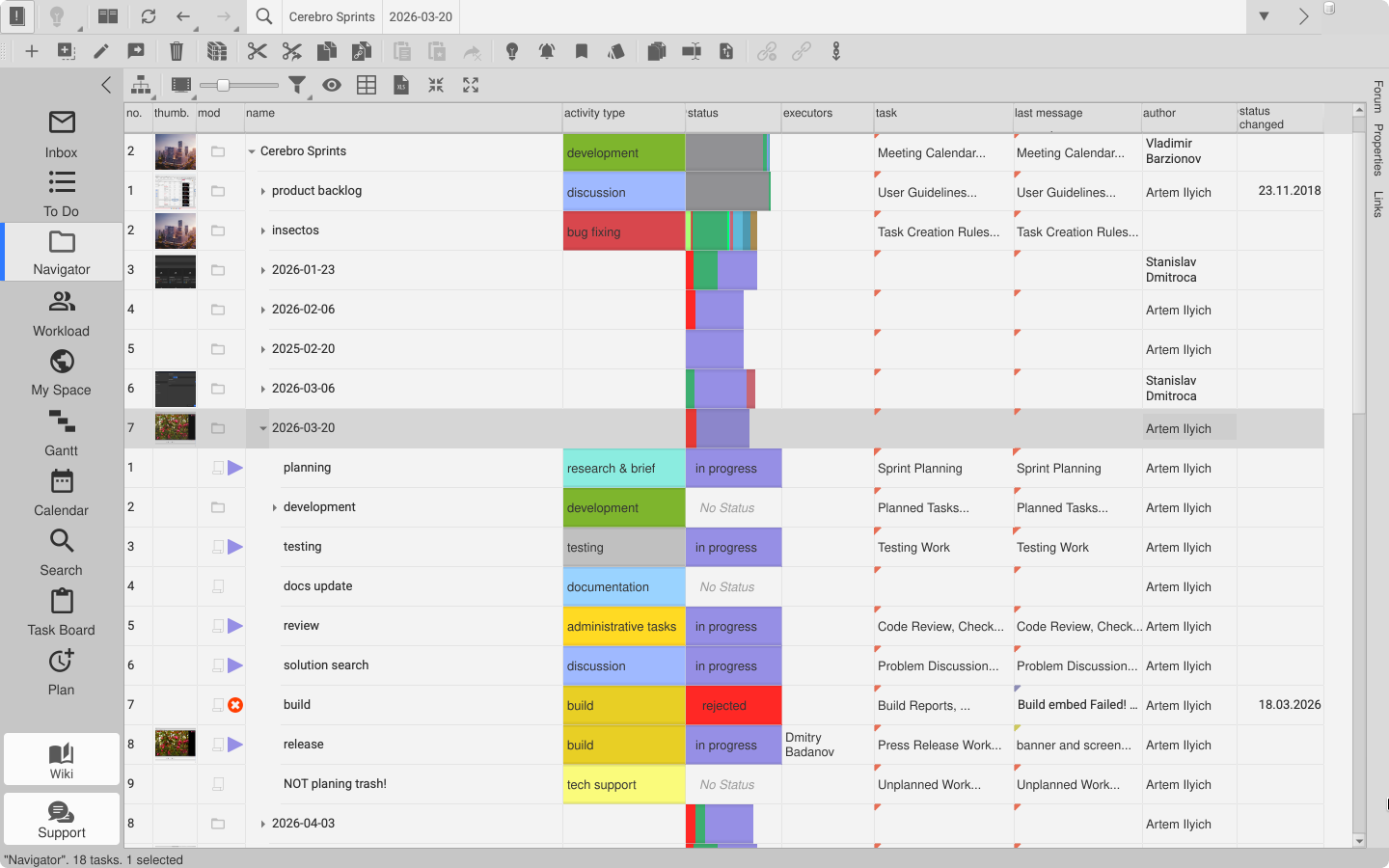
Because of the sheer volume of work, we sometimes have to merge several sprints into one, which can mean less frequent releases. We also maintain an internal wiki that serves as both documentation and a knowledge base. Every section has its own rules explaining how information should be added to the system.
Tasks are added to sprints as links. The original tasks stay in the branches where they were created, while the sprint branch contains links to the tasks being worked on.
Sprints are named using the YY.MM.DD format and remain visible through the end of the year. We create each new sprint by copying a template.
Statuses Depend on the Type of Work
We do not use a single universal task lifecycle across the entire team. The set of statuses depends on the activity type.
Development has additional statuses such as Build Required, Testing, and Ready for Release, while design uses a Review status. Once developers finish their work, they move the task to Build Required. The automated build system then changes its status to Testing. From there, the tester either sends it back for Revision or moves it to Ready for Release.
At the end of each year, the sprints are moved to the archive — a separate branch with a dedicated status that we can return to whenever we need information. Our development team lives by a simple rule: nothing gets deleted. Even though every task is broken down and the workflow is divided into standard activity types, a huge body of completed work remains available in the project history.
Which Tools We Use Most Often
Cerebro offers several tools that help us stay on top of this volume of information. These are the ones our developers use most frequently:
- Lightbulb takes you directly to new unread messages;
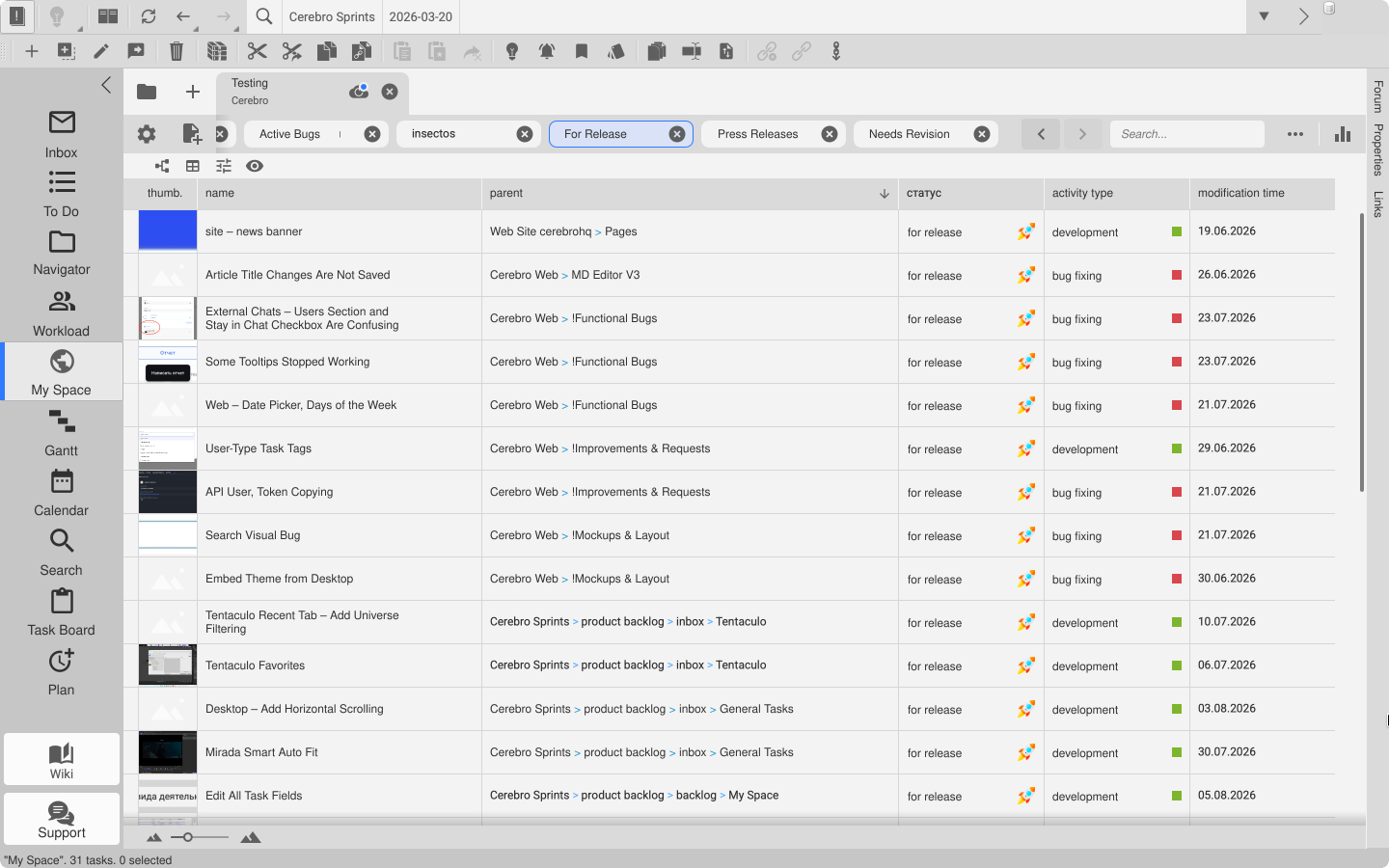
- My Space lets you create the task views you need based on status, priority, and other criteria;
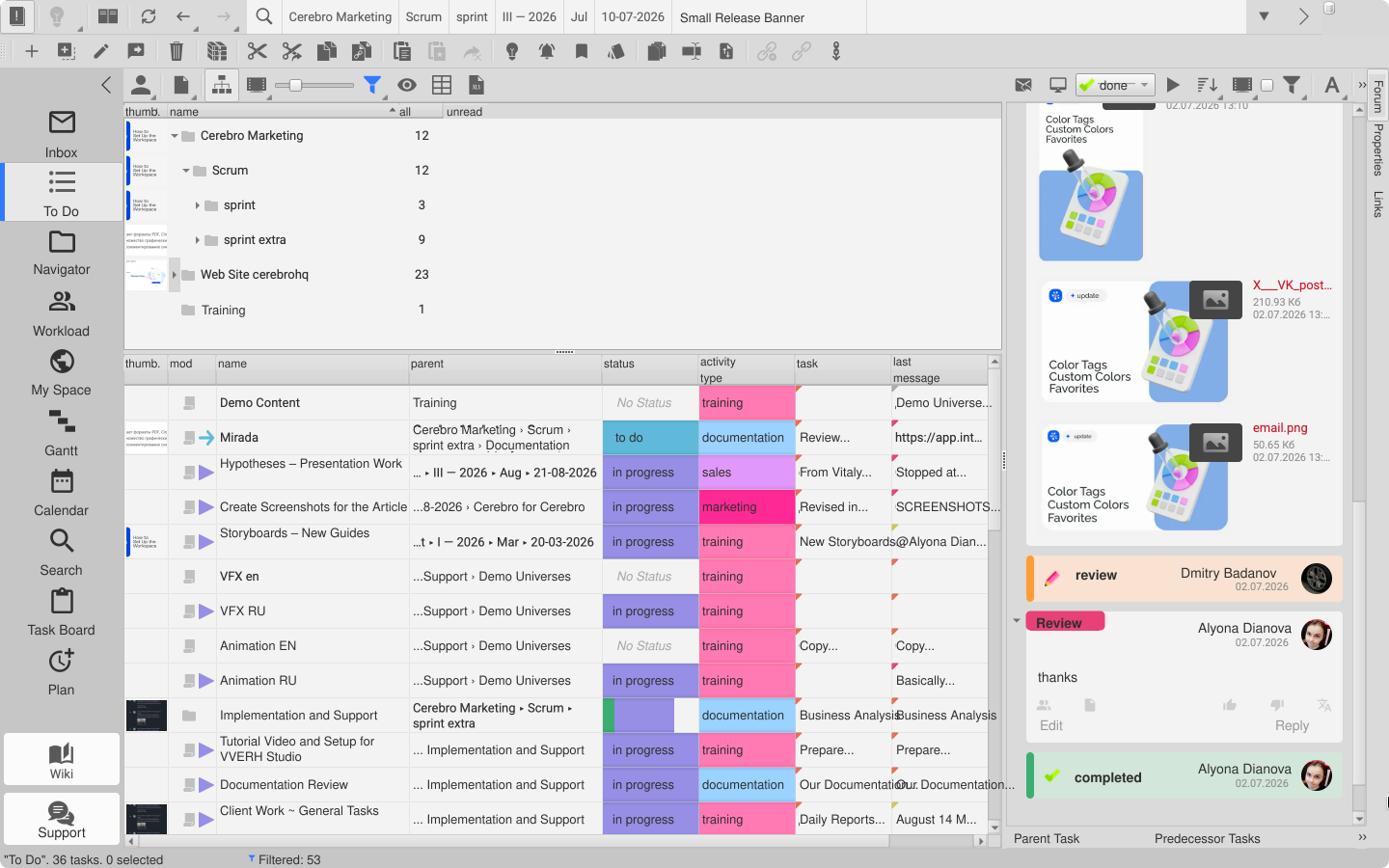
- the To Do tab displays the tasks assigned to a particular user;
- Forum keeps the actual task discussion in one place, making it easy to restore the context later.
We use the following tools less often:
- Mirada Por Parte is useful for screen recording when we need to capture and explain the system behavior behind a bug;
- Mirada is used to review and comment on release materials.
We do not use Mirada for its primary purpose all that often, but we still spend a great deal of time in it because several team members are involved in developing and testing the application. Some people even use Mirada as their default video player, although, in our opinion, it currently has too many panels and buttons for that. We plan to introduce several operating modes, including a dedicated player mode. Once that is available, it should be just right.
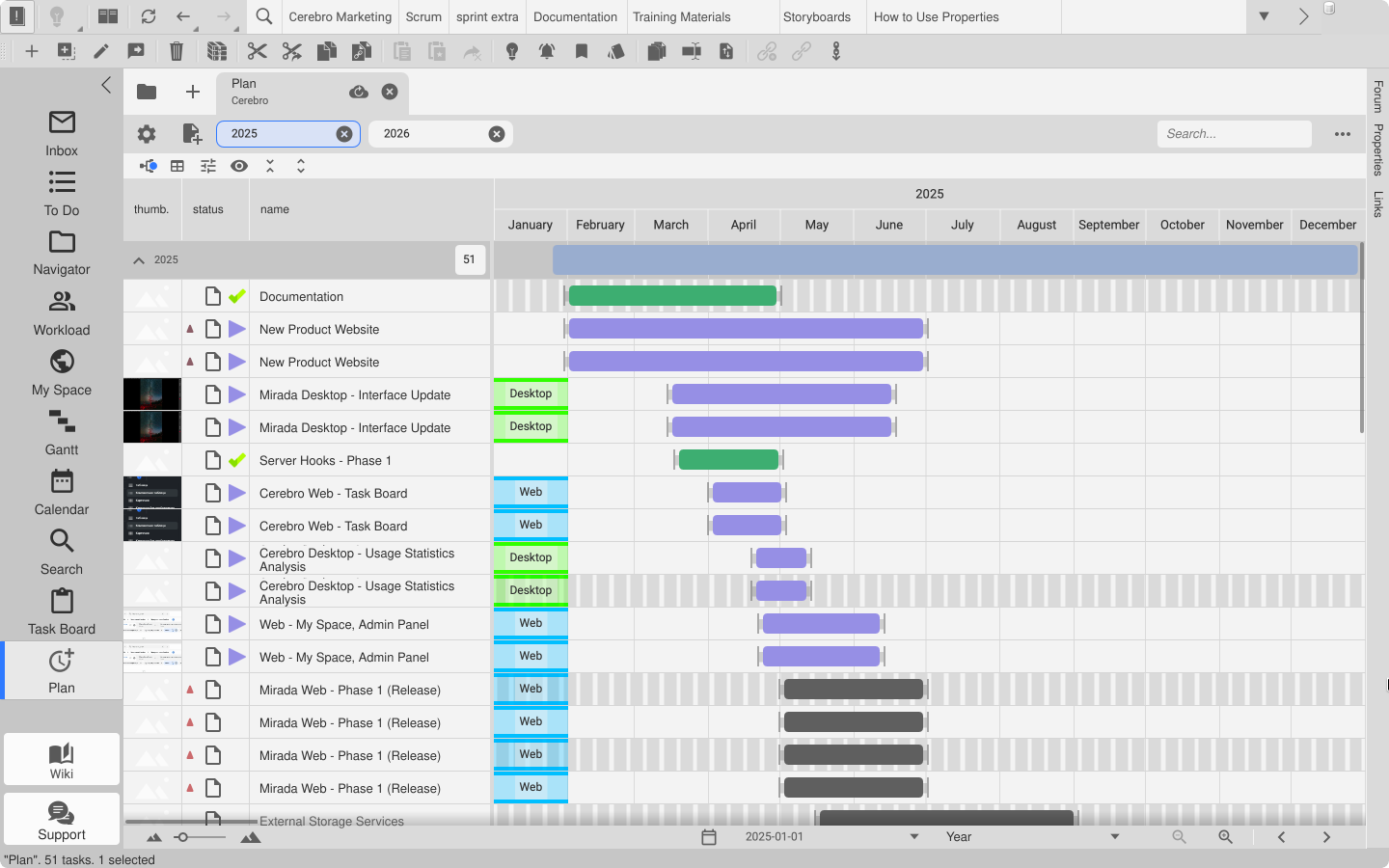
We only use large-scale tools such as the Gantt Chart and Plan for annual planning. We use the Search tab occasionally when we need to find something quickly on a one-off basis. Developer plugins and the Python debugging panel are also important to our development workflow.
In fact, the way our developers use Cerebro differs considerably from the typical client workflow. Most of our clients have more structured projects with a clearly defined set of tasks. Our own structure can vary from one task to the next, and the work involved is not always standard. At the same time, we borrow some ideas from our clients — for example, repeatable sprint structures with a clear, predefined set of activity types, similar to the structure used for shots.
How Our Own Work Shapes the Product
Having the team use the system itself has led to some interesting developments. The entire concept of pages and criteria, now used to create task views, originated within our own team. The first step was a tool called Task Tracking. Unlike today’s My Space, it worked locally. Everything has since moved to the cloud, making it much faster to introduce a similar tool in the web version and integrate pages with messaging apps.
A small but useful recent update focused on search within data lists. We were often frustrated when search failed simply because the wrong keyboard layout was active or a value had been entered in a different language. So we updated it to recognize different ways of entering the same value. For example, you can find “Administrator” even if you enter a shortened form, use the equivalent term in a different language, or type with the wrong keyboard layout.
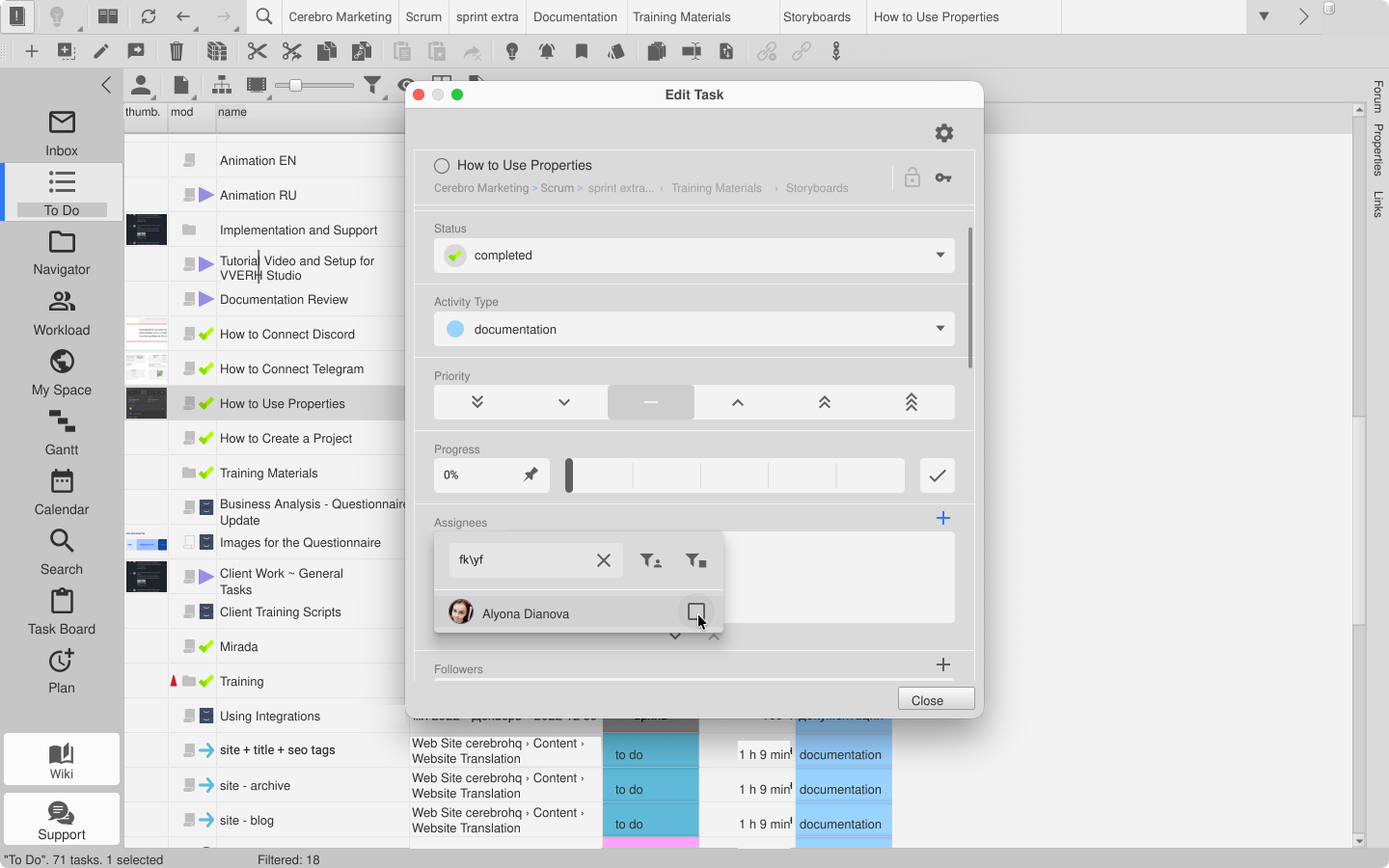
Another example is the task import tool. Before we introduced it, clients often used custom plugins to transfer data from external sources. Everyone was perfectly happy with this approach — everyone except us. Each time, we had to modify an existing plugin or build an entirely new one. The built-in import tool was designed to be as flexible, straightforward, and feature-rich as possible. It can import simple task lists as well as complex hierarchies, including template-based structures. You can set any task properties and even populate tasks with files and messages during the import.
What We Learned
Being able to use our own tool allows us to configure even the most unconventional team workflow with a great deal of flexibility. That is how we were able to adopt a Scrum-like approach rather than classic Scrum: Cerebro can be configured to let us respond to the situation instead of following a rigid process.
At the same time, any degree of structure makes a team more effective. Before we adopted Scrum, releases were very infrequent, and most tasks disappeared into an endless stream of things that “absolutely had to be done today.” We configured the process, adapted it to our needs, and became more efficient. That may be the most important thing a project management system can offer. We passed our own test.
Marketing and Sales: The Same Principles, a Different Rhythm
We follow the same general principles in our work, but we use Cerebro’s features differently. And yes, this article was also prepared in Cerebro.
There are some similarities: we have a sprint branch and an archive that we can return to whenever needed. We try to work within the same two-week sprint, but we do not hold sprint demos — only planning sessions and an end-of-period review. We often carry tasks over from one sprint to the next because our work depends on outside parties and clients, whose response times are not always under our control.
How We Create and Assign Tasks
There is one small difference from development: only the project manager, who acts as a link between the two departments, creates tasks here. The same person is also responsible for the final review and approval.
At the beginning of every year, all departments put together a high-level annual plan. In marketing and sales, we break it down into quarters and months, then divide each month into two-week sprints. It is not a conventional approach, but it works for us. Ultimately, the goal of each sprint is to keep us on track with the quarterly plan and, by extension, the annual plan.
This is where we allow ourselves some flexibility in assigning work: a new task can be picked up by whoever is available, regardless of their usual specialization or area of responsibility.
We often form small, temporary groups with changing members so that we can help one another and share the workload. An implementation specialist may join a marketing task, while technical support may help sales. When someone has time to return to a long-standing task that has been waiting in the backlog, anyone can choose to take it on.
This is how we balance our chosen strategy, the annual plan, unplanned work, long-standing or “evergreen” tasks, and the need to support one another during especially demanding periods.
“Evergreen Tasks” Are Real
Some tasks do not end with a sprint and are never moved to the archive. Our advertising work, for example, has continued without interruption for several years.
Our department also helps prospective clients implement Cerebro and trains both new and existing customers. This kind of work is extremely difficult to fit into a two-week period: depending on the size of the team and the project, onboarding can take several months.
We use our own activity types, including marketing, sales, training, advertising, and administrative work. They sometimes overlap with development activity types — for example, when one of our tasks requires design work.
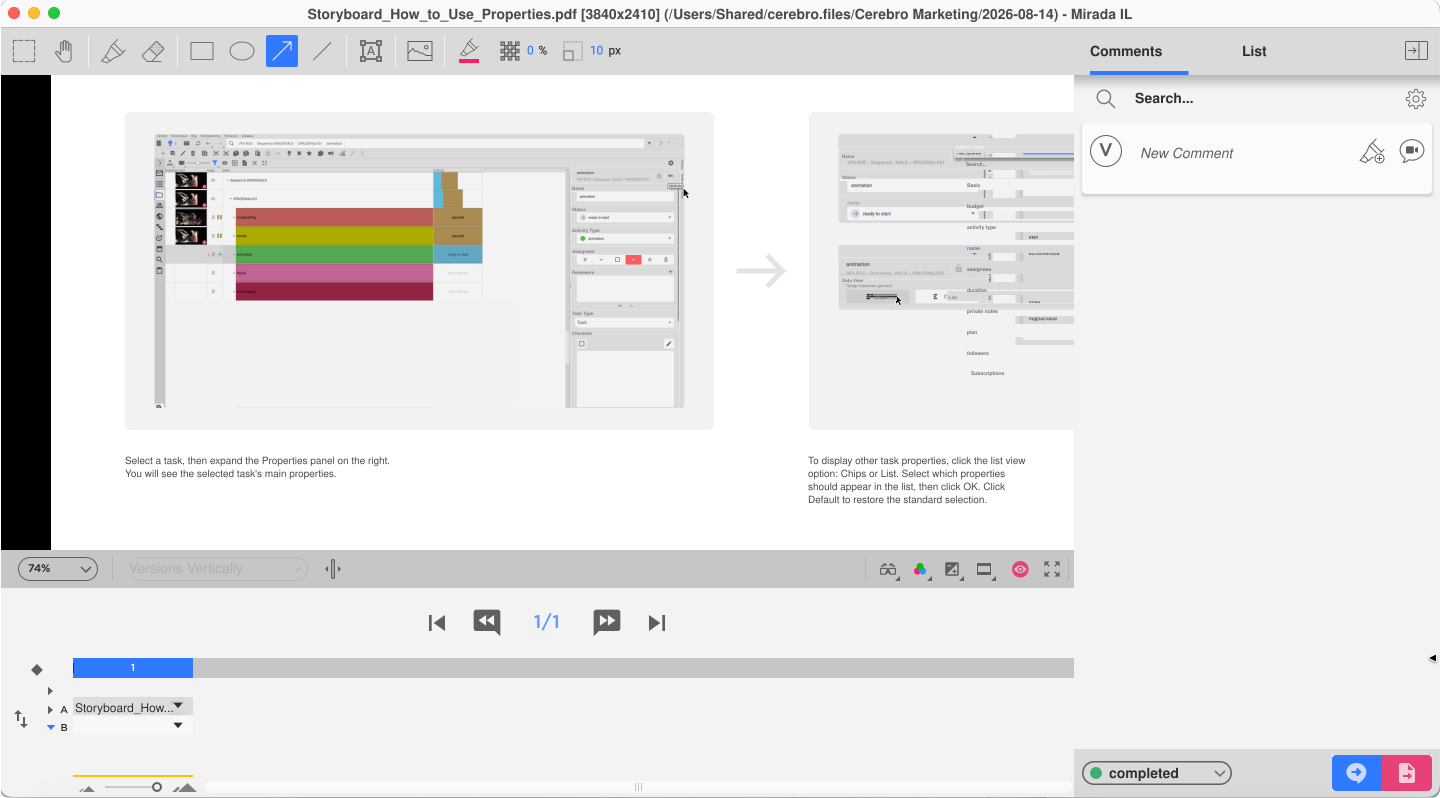
All discussions and materials remain in Cerebro. Over the past several years, we have not used external storage once. We use reports on time spent to monitor workloads, stay grounded, and maintain a sustainable pace.
Why Marketing Loves the Task Board
The Task Board is perfect for our work: we like things to be clear, simple, and visual. As tasks move through statuses, we simply drag their cards across the board.
The Task Board is most commonly used to implement Kanban. We decided to combine it with our adapted Scrum-like approach. In this respect, we follow the standard playbook: we try to limit the number of tasks in progress and visualize the entire path from start to finish. And, honestly, it is fun — the cards do a funny little flip when clicked, and the board looks great.
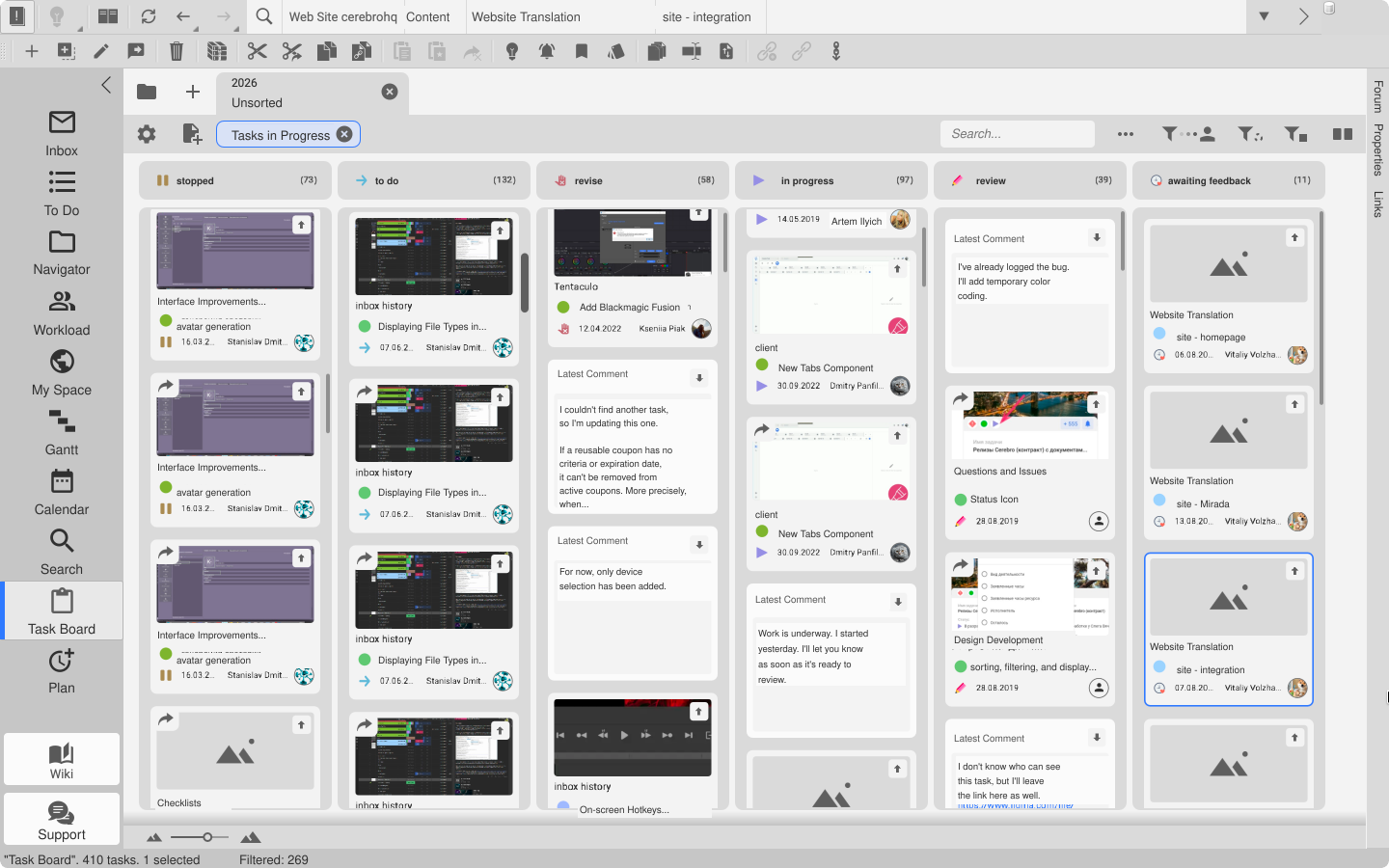
Marketing and sales work side by side: we share the same sprint and create current tasks in the same branch. The one difference is that the sales team uses a CRM to collect and manage leads. Every other process, including implementation and ongoing customer support, is managed in Cerebro.
Everyone Configures the Interface to Suit Their Needs
One important aspect of working in Cerebro is that some employees are committed desktop users, while others prefer the web version. The choice usually comes down to whether someone is responsible for planning tasks or simply checks their Inbox to see what needs to be done.
In addition to choosing a platform, each user can customize their workspace to suit their role. Anything unnecessary can be removed from the panel with a single right-click, while various wizards let users adjust the number of tabs to suit their current needs.
How We Keep Access Separate While Working in One System
Although all departments work in the same Universe, we use access rights to maintain privacy between teams.
Each department only sees the tasks that belong to it, and visibility restrictions can be applied to individual tasks depending on their purpose. We manage access through user groups rather than assigning rights to each person individually.
We also occasionally need to bring in a freelancer. Naturally, they receive special access limited to specific tasks. When task branches are copied or newly created, all access rights are inherited.
And a Little Something You Will Not Find in the Guidelines
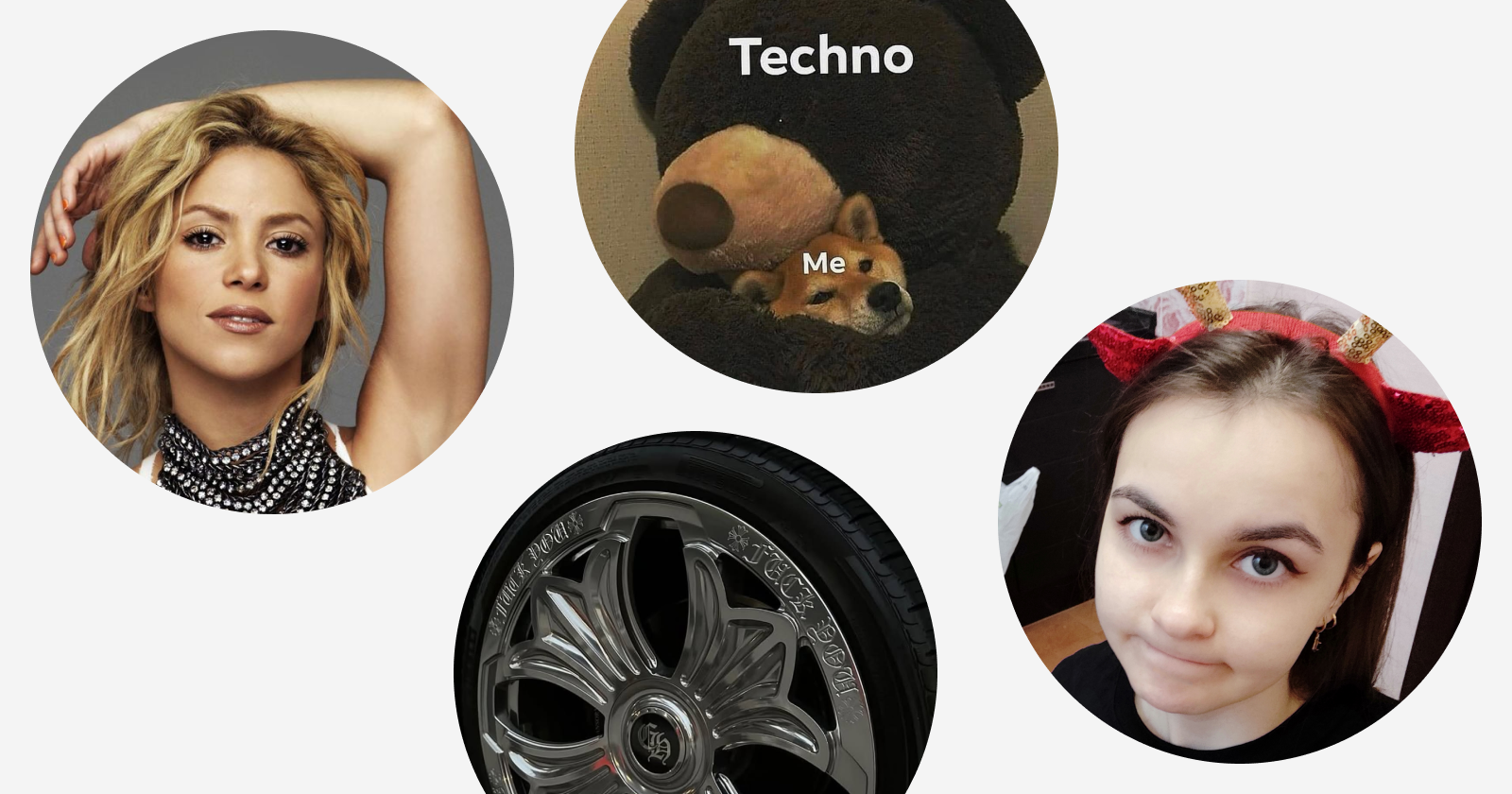
What we love most is that everyone can have a bit of fun in Cerebro and choose any avatar they like. Some people use a professional headshot, some choose Shakira, and others go with a techno meme. Honestly, it lifts our spirits.
With our own example, we wanted to show that even a highly specialized system can be adapted to very different kinds of work. The key is to give the team enough flexibility to configure its processes properly. When that happens, even a feature-rich platform designed for complex production can work just as well for a small marketing department.
What We Learned from Working in Our Own System
For all of us — development, testing, sales, and marketing — the most important thing is being able to work in the same environment.
Our tasks overlap from time to time, requiring collaboration and an assessment of our shared work. Each team follows its own independently designed process, but we can access one another’s information whenever necessary. This preserves the full context of every task, including the discussions that shape shared decisions. We did not force every team to rebuild its workflow. Instead, we carefully adapted each process — although it took more than one attempt to get everything right.
As the developers of Cerebro, this is our own first-hand experience. We try to improve the system not only by learning from our clients, but also by learning from our own mistakes.