“The voice of the people” and reports rating
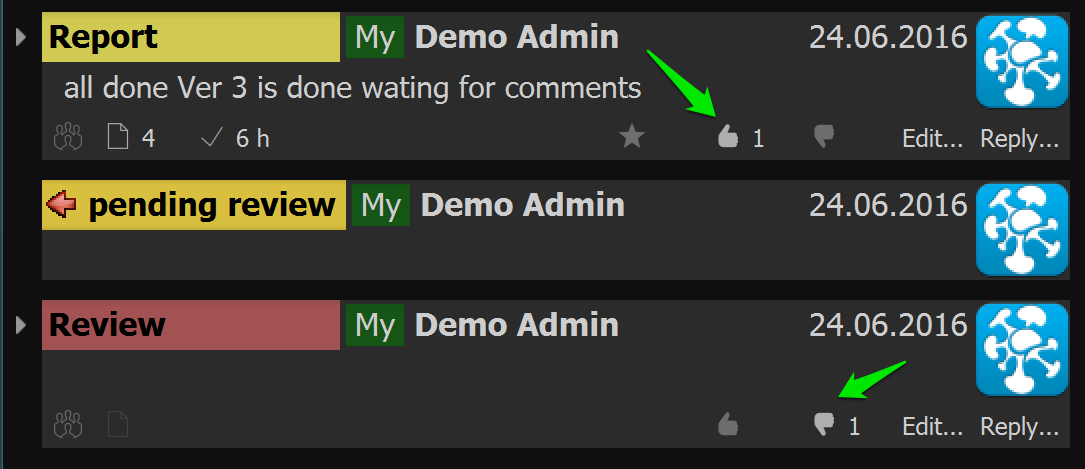
Cerebro has added a new feature to like or dislike messages. Now anyone can express an attitude to any post whether it is a colleague’s report or a supervisor’s review. All likes and dislikes are anonymous.

Besides the likes, there is a new feature to rate reports using a 5 grade scale. In comparison with the likes, only users who are assigned with special rights can rate the reports.

You can assign such right to supervisors or team leads, so that they will be able to do their “objective” evaluation.

Rating
User rating is calculated based on likes and dislikes of reports as well as on an “achievement”. This feature is available in users statistics.

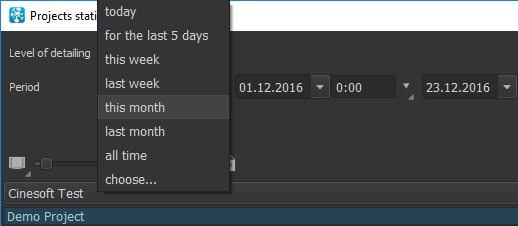
There are new six columns added in statistics: overdue in hours, overdue in days, reports rating, likes, dislikes and user rating. You can choose which criteria to include in a rating calculation, as well as normalize rating using 10 grade scale.

Normalization makes sense only for user groups analysis.
We believe it would be great to reward the best workers 😉
Archived tasks
New features allow to archive not only the whole projects, but also some selected task threads using a button “Archive” on the task panel.

Archived task threads is useful in “endless” projects. Tasks added in archive become invisible in all lists, besides statistics and search. You can add criteria “Archived tasks” in the search window to exclude search in it.
You can check and restore archived tasks in the Navigator. Main menu -> View -> Show archived tasks
Shifts
If your workflow consists of shifts, you can switch a time displayed to shifts inside Cerebro. Any changes of the time displayed is available in an application setting. Mainmenu -> Cerebro -> Settings
Put in the shift duration and all values connected to hours will be calculated and displayed in shifts, according to duration specified by you.

Login as other user
Now an administrator can login to Cerebro with their colleagues’ accounts. You can do it by opening an Administrator window, choosing Users tab, then choosing an user and push the button “Login as”

The right to login as another user is set by right “Login as other users”
Columns administration
We added a new column picker, which allows to quickly hide and show needful columns in the lists of the tasks.

This button is located above each task list. After pushing it, there will open a new window with a list of the columns, where you can include/exclude displaying of any of columns, as well as columns with the project tags. You can also save different sets of columns to switch between it quickly.
Plugins distribution
Cerebro plugins can be distributed among users of your companies by the system itself.

To find more, please read the documentation (LINK)
Application usage statistics collection
To improve quality, functionality and usability we have implemented statistics collection on application usage.
Usage statistics includes general information about settings, user interface features usage, response rate and memory usage. Personal data are not collected in usage statistics.
Please, give Cerebro an access to send usage statistics to Cinesoft. It will help us to know which features we should improve.






 Here it comes! A Cerebro Road Trip to the countries of Asia. During the whole month of September we are going to visit some of most important countries of Asia, and with their help we will be able to find some new agents for our services.
We have products:
– Cerebro
Here it comes! A Cerebro Road Trip to the countries of Asia. During the whole month of September we are going to visit some of most important countries of Asia, and with their help we will be able to find some new agents for our services.
We have products:
– Cerebro